Design Systems Anyone Can Build With
PROJECT TYPE
Industry — Beacon (Embraer) and Cube Software
MY ROLE
Design systems lead: token and naming architecture, component library, Claude Code + Figma MCP workflow, team rollout
TEAM
Beacon: led 3 designers
Cube: sole product designer, partnering weekly with 2 marketing designers
TOOLS
Figma, Figma Dev Mode, Zeroheight, Storybook, Webflow, Claude Code, Figma MCP, GitHub
METHODS
STATUS
Beacon: launched Q2 2024 · Cube: in active use
Design System: From Constraint to AI-Native
A system I built at Beacon under tight constraints became the base for two systems at Cube. This is one story, not two.
Act 1: Beacon (2023–2024)
The problem. Beacon ran on three separate codebases (Web, iOS and Android), so anything that touched more than one platform was slow, costly and misaligned at handoff. I led a team of three designers and ran every component through one weekly pipeline: Figma, Zeroheight, Storybook, QA, and a Product and Business review.
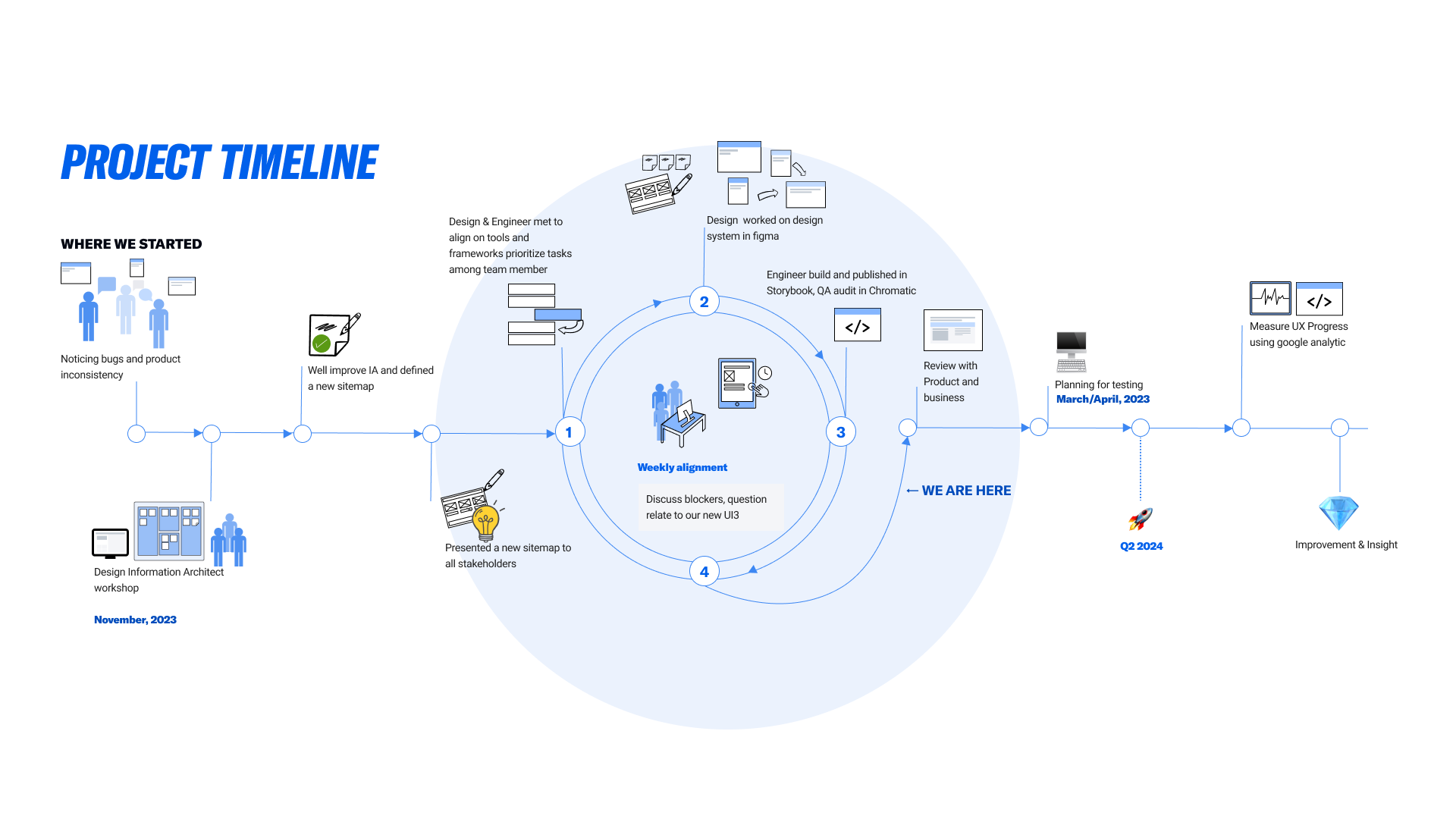
Shared naming. I proposed using Tailwind class names inside Figma Dev Mode and rebuilt our naming convention with engineering, so designers and engineers called every component by the same name. The system launched in Q2 2024 as the shared source for all three platforms.
A side experiment. While helping marketing with the Webflow site, I copied a complex card component from Figma into Webflow to see if its structure survived. It did. That told me a design system could be something non-designers build with, not just read. We didn't have the people to pursue it, so I parked the idea.
The bridge: from Webflow to AI
That Webflow test left me with one question: what does a design system need so people who aren't designers can use it correctly?
At Cube, the question came back. When AI entered our workflow, PMs started using tools like Lovable to mock up ideas for stakeholders and customers. Their reason made sense: they wanted to show an idea was real. But those prototypes looked like the product without being built from it. Stakeholders treated them as decisions, and engineers got questions about screens that didn't exist.
I didn't want to stop PMs from prototyping. So when Claude Code came out, I built a coded system from Cube's real components that they could prototype with instead.
Later, in my UX Research Methods class at Pace, I read The GenUI Study by Chen, Knearem and Li. They studied how designers, PMs and engineers use generative UI tools, and found the problem I'd been seeing: the tools can generate UI, but they can't follow a team's design system. They call this gap Constrained Generation. My Cube system is one attempt at closing it. Because the method rests on basics any team can set up, I expect it to work with other design systems too, and I'm now testing whether it holds up for other people.
Nielsen Norman Group makes a similar point: AI makes design decisions from whatever context it's given, so structured UX guidance up front is what lets non-designers generate usable, on-system interfaces.
Act 2: Folio, Cube's AI-native product system
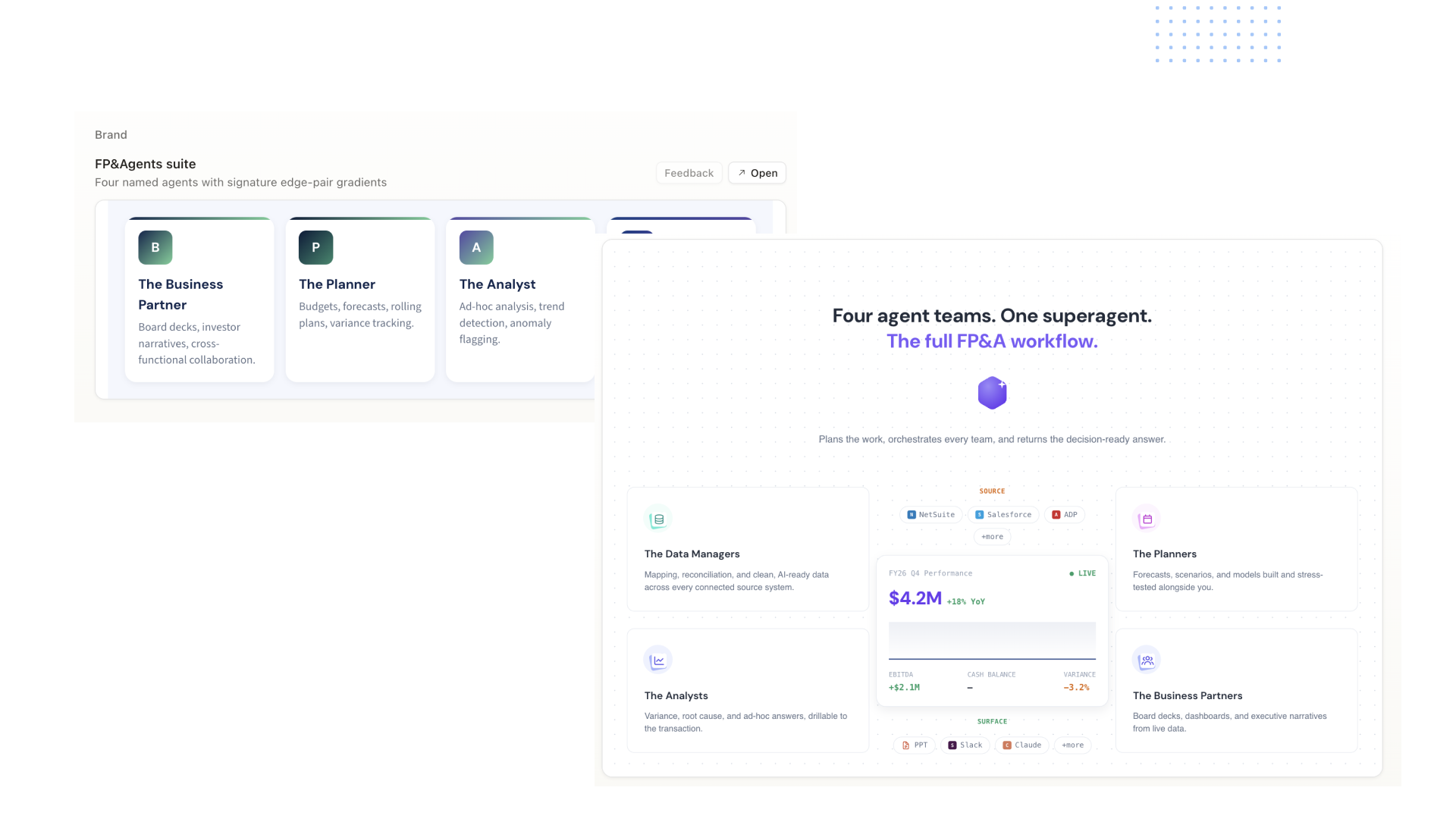
What I built. I started from the naming rules I'd built at Beacon, but this time the main user was Claude Code. I wrote a CLAUDE.md file and a design skill that lock Claude Code to Cube's real components and tokens, scoped so it doesn't re-learn context and burn tokens on every request. I design in code, use Figma MCP to write back to Figma, and polish there. I kept it as a standalone proof of concept on purpose, so Product and Engineering can explore ideas on the real component set and test constraints before anyone commits engineering time.
Fewer derailed meetings. Our flow reviews kept drifting into arguments about visual details, and we'd have to schedule the meeting again. Once everyone worked from the same locked components, those details were already settled, and the reviews stayed on the flow.
Faster first designs. PMs and engineers used to wait about two weeks for a first round of design ideas. Now they start exploring directly on real components, which cut that wait roughly in half, with fewer revision cycles and less engineering rework.
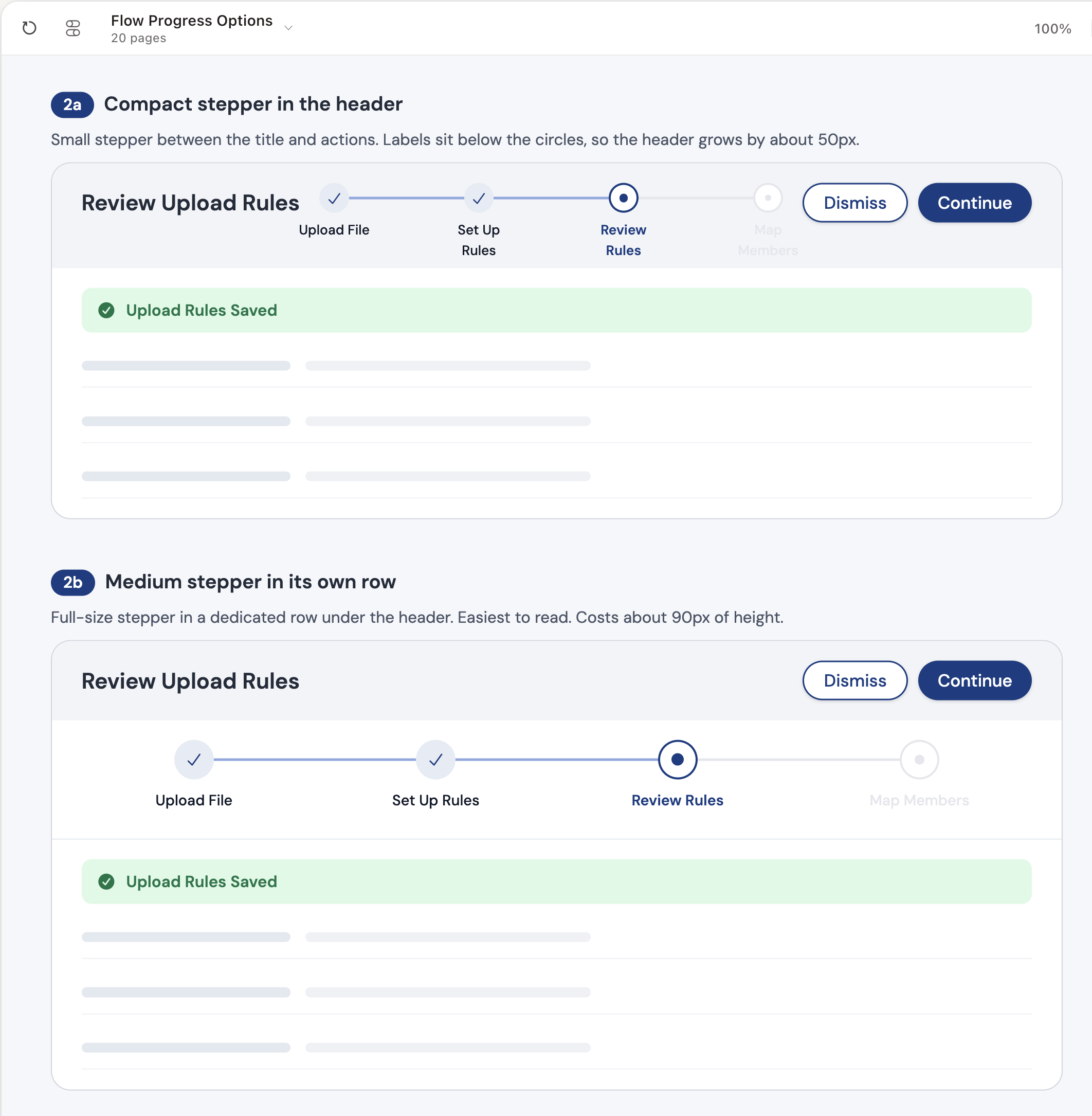
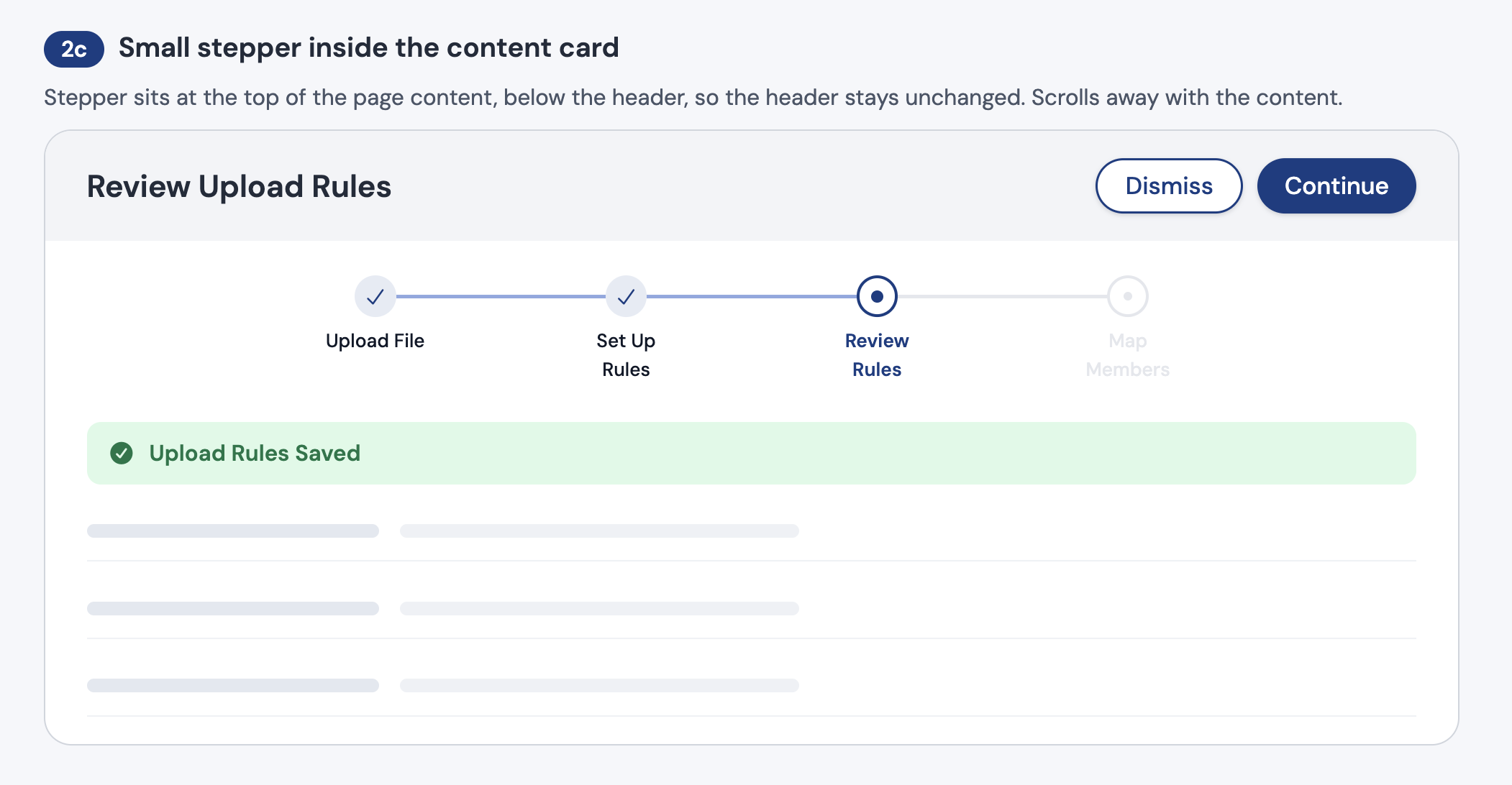
Decisions on real tradeoffs. Because Claude Code builds with Folio's real components, I can put layout options side by side at production fidelity in minutes. For the upload flow, I compared stepper placements, each showing its real cost in vertical space: a compact stepper in the header (about 50px) and a full-width stepper in its own row (about 90px). I went with a third option: the same readable stepper as the full-width row, but smaller and inside the content card, so the header stays unchanged and we save space. The decision came from what each option actually takes from the screen, not from wireframes.
“To be honest, it was so good. When I first saw it, I thought it was already in [our staging environment].”
— PM & Head of Product, Cube
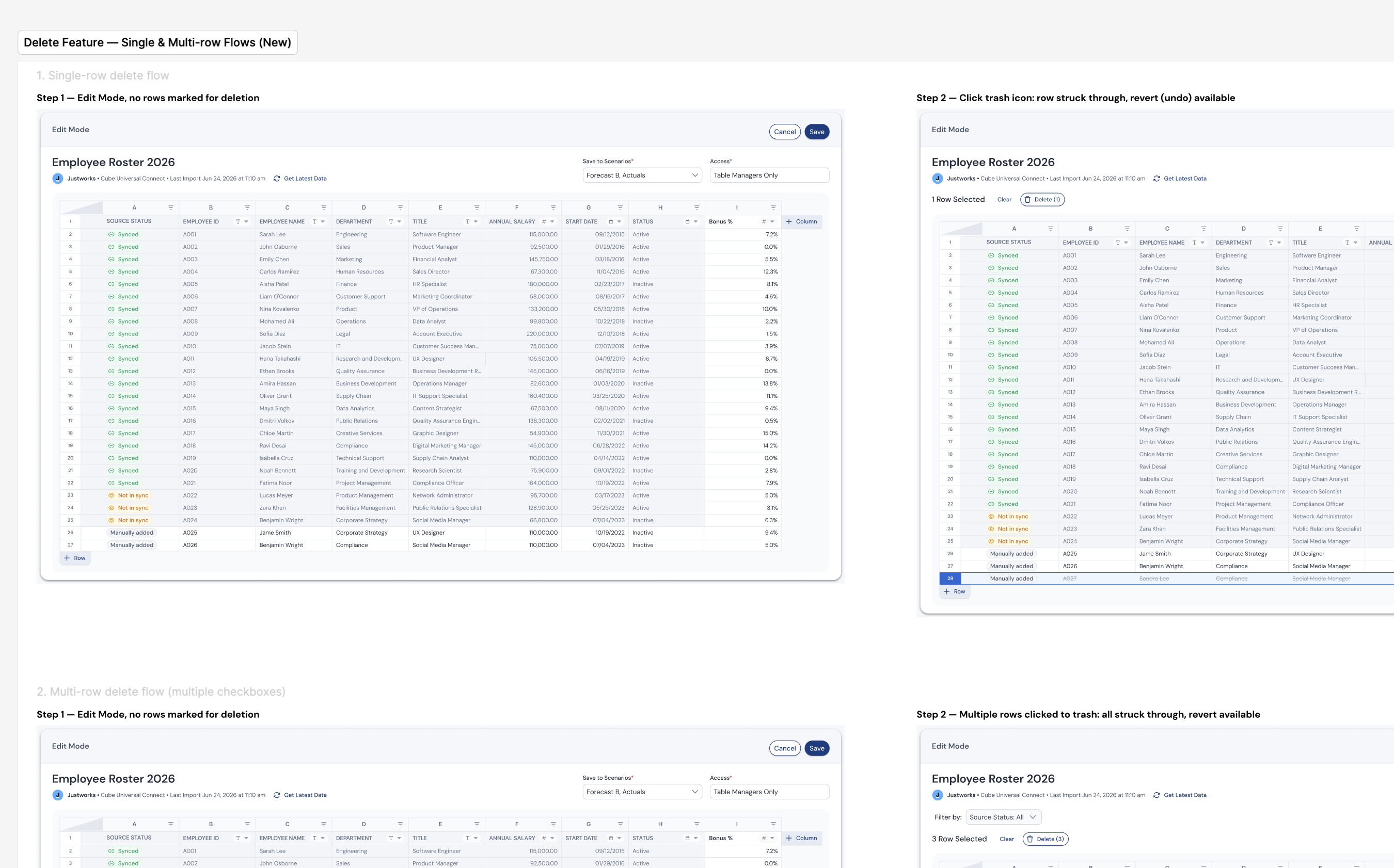
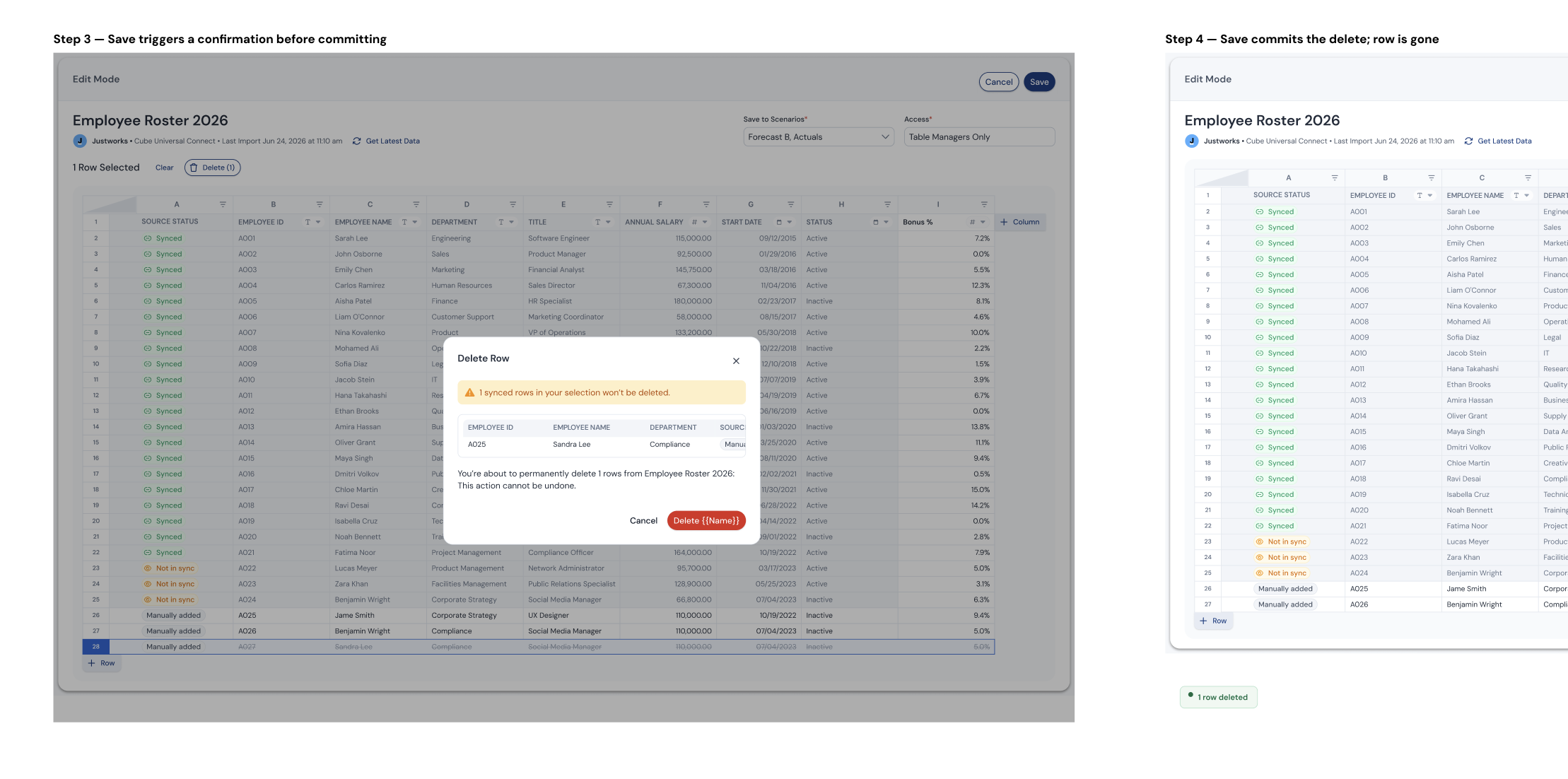
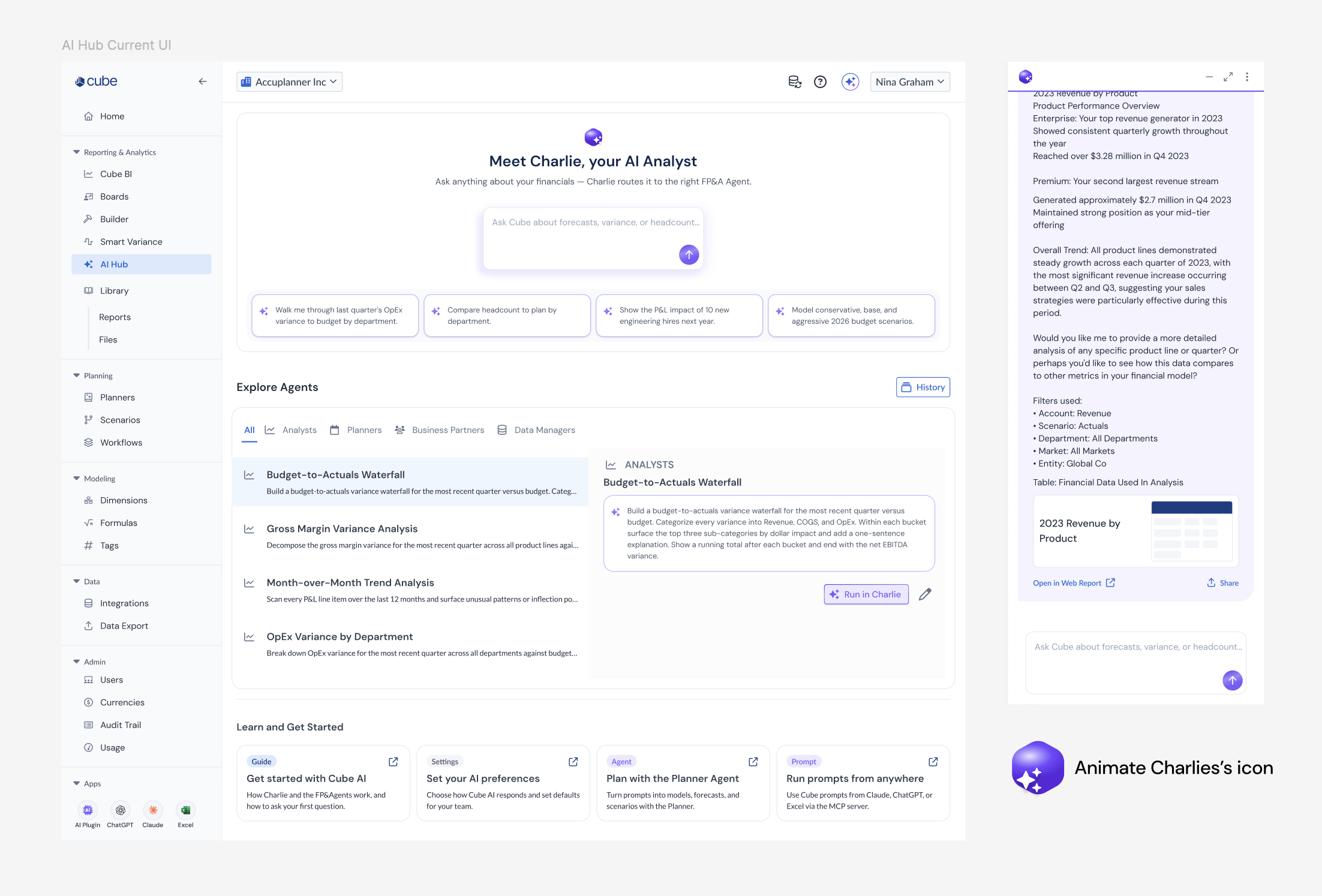
Act 3: Cube, the foundation for the marketing system
Cube's marketing pages had been generated without shared rules, and they needed rework. After I built the coded demo of Folio, Cube's product design system, I tested whether its rules could carry over to marketing.
I built a template, then gave Claude URLs from the live website and asked it to redesign each page in the style I wanted, following the product system's token rules and naming, kept in one markdown file.
The marketing team took it from there. They used my template and rules as the foundation for a new brand system that matched the CEO's direction for graphics, with a new style and color palette on top. The current website is built on it, and marketing and PMs now build blog posts and help-center pages themselves, without waiting on design. That's the idea I had to park at Beacon: a system non-designers build with, not just read.
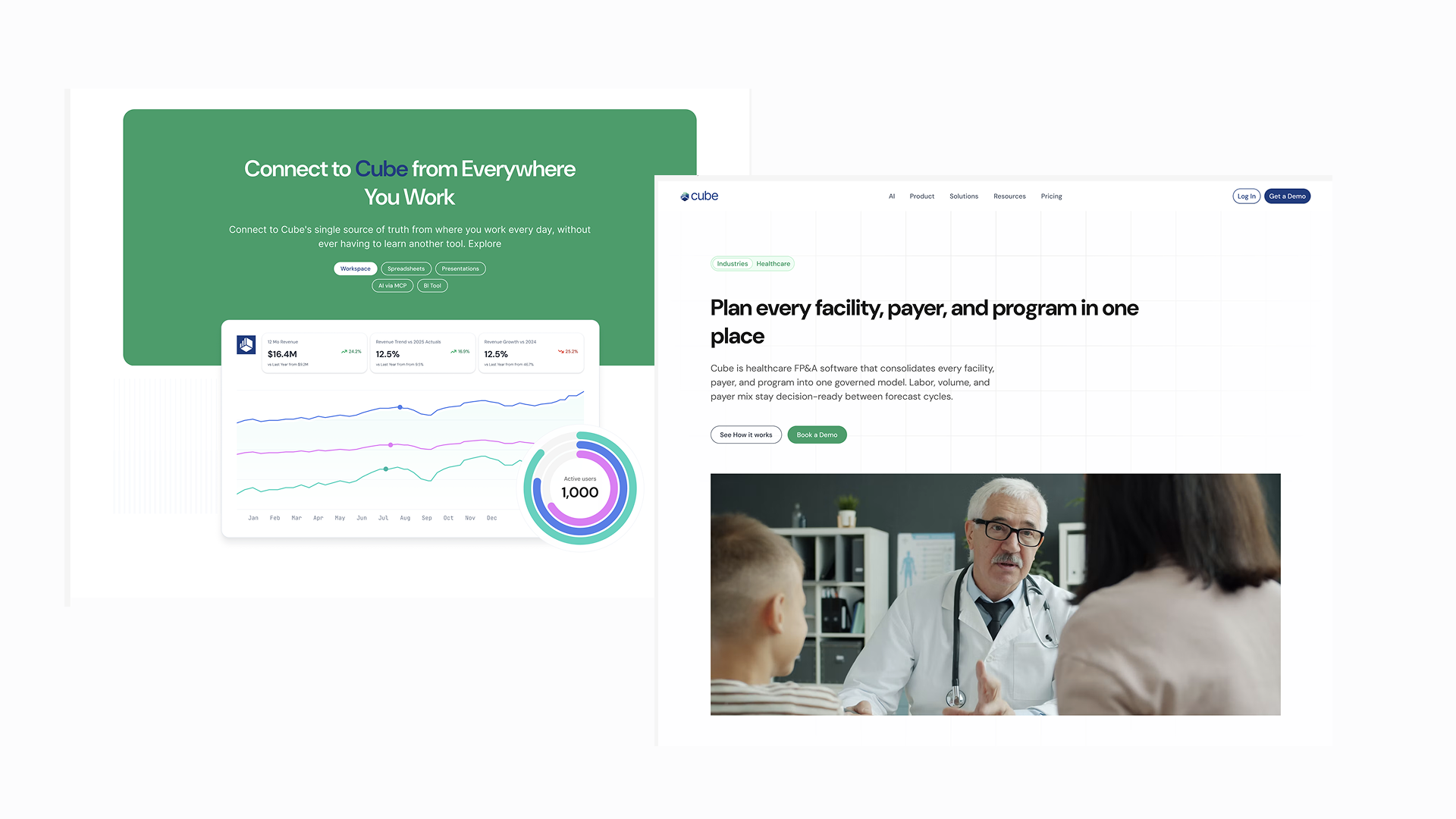
Template test: live pages redesigned in Claude from my template and the Folio rules.
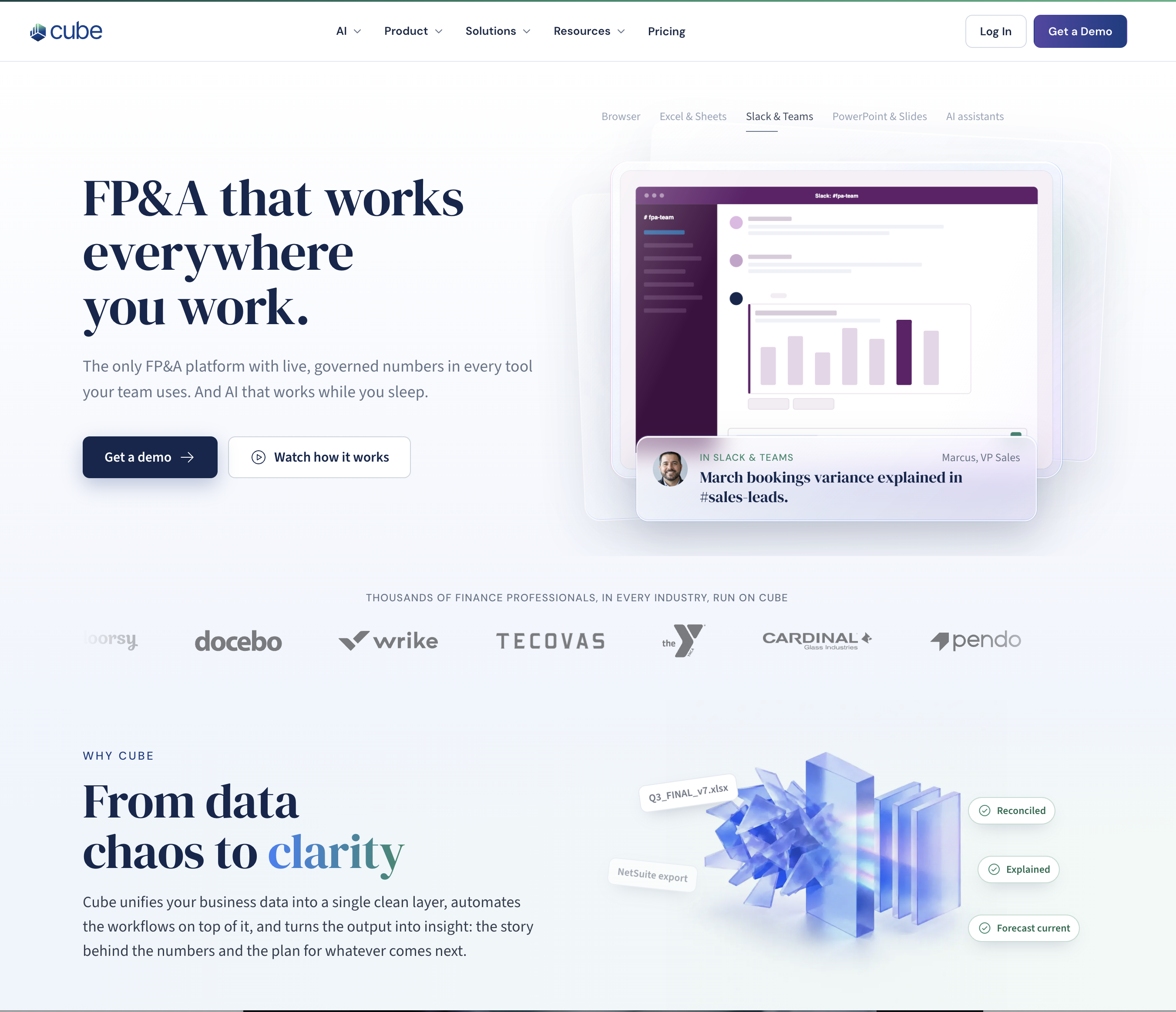
Cube's current website, built by the marketing team on my system's rules with a new style and color palette.
Act 3, continued
The one-pager tool
Then the sales team started using Claude to make one-pagers for enterprise prospects. They were fast but off-brand, with the wrong type, wrong colors and layouts that weren't in the Cube library.
A style guide wasn't going to fix that, so I built two things.
What I built
A Figma plugin, "Redesign into One-Pager," that reads content from any frame and applies Cube's layout, type tokens, color system and logo placement automatically.
A paired HTML template built on the same tokens.
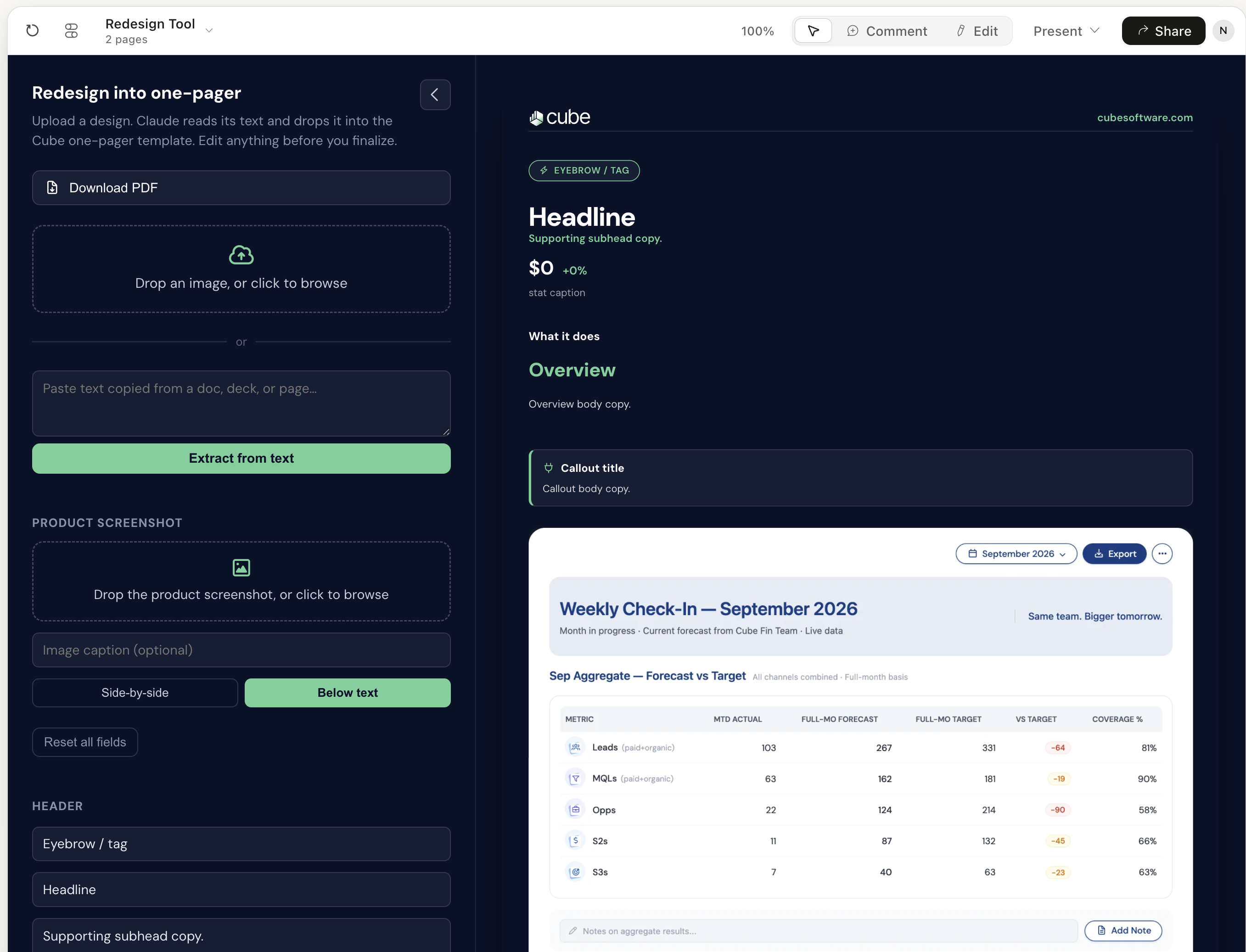
The first one, a Pipeline Coverage one-pager, took under five minutes and came out on-brand without a designer reviewing it.
Testing the method (in progress)
I built the Cube system out of necessity, and I wanted to know whether the method works for people who aren't me. So my professor and I set up a study in my graduate Gen UI course at Pace, and I'm leading a six-person team to run it with early-stage design students.
The question: does giving AI structured, referenceable context (a design.md and a persona.md) produce better UI than mentioning the same brand and persona information once in a task brief?
The setup: early-stage design students each do both tasks, building a prototype feature from the same starting product screen, in Claude only, in 30-minute in-person sessions. They write their own prompts, so no shared template biases the output.
How we measure it: a 1–4 rubric for hierarchy and clarity, internal consistency, persona alignment and completeness, plus a survey of participants' confidence and sense of control.
Where it is now: the full study runs in my spring course. We've already run a pilot, then a second round within our team using the full setup. The pilot results matched what I expected. With the same screenshot and the same prompt, the run with my framework followed the product's layout, type and components closely. Without it, the output came out generic and off-brand, and dropped the product's navigation entirely.
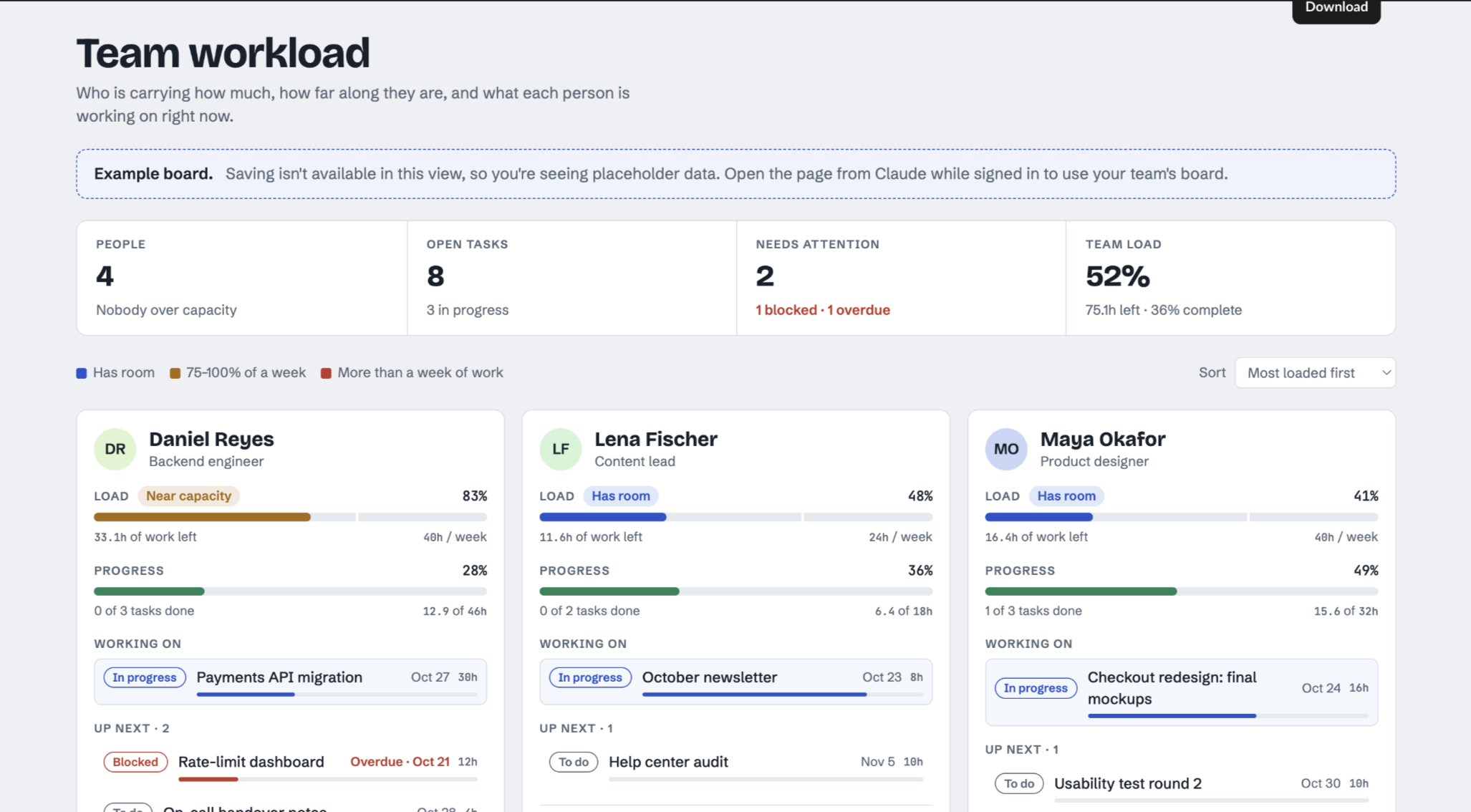
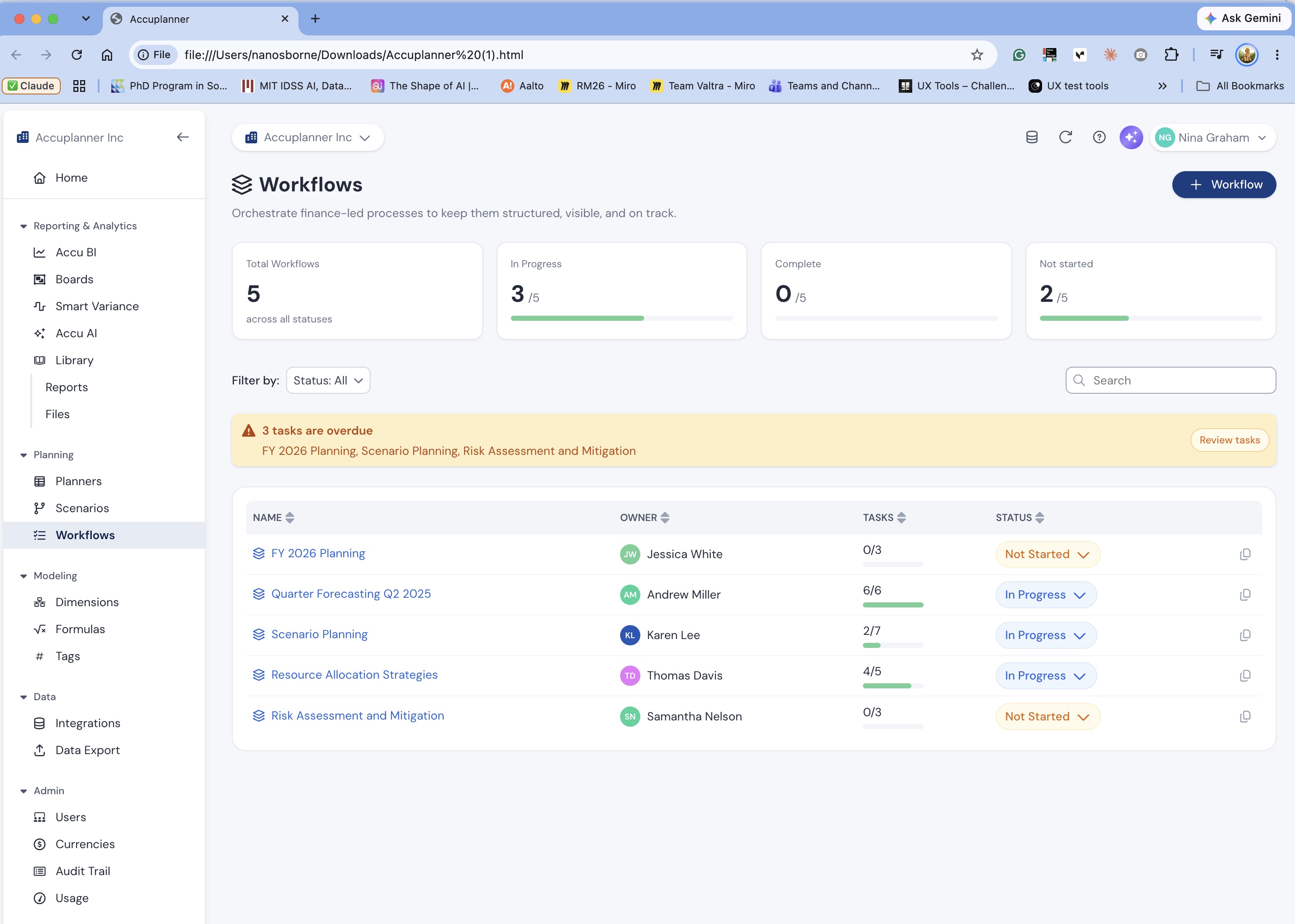
Pilot output, shown as generated with no edits. Both runs used the same product screenshot and the same prompt. Left: Task A, without the framework. Right: Task B, with design.md and persona.md.
Where it stands
Product and Engineering use the Cube system to ideate and debate technical constraints together, without waiting on Design. Marketing pulls from the same tokens and components for social posts and campaign assets. As the sole product designer, I'm running three large in-flight projects on it right now, and the CEO called the prototypes "sales demo ready."
What I'm closing next: we haven't formalized how Claude-generated work moves into the engineering codebase. When a new UX pattern comes up, engineers ask how it's built in React, and today that answer lives with me, not in the documentation. So I'm auditing the system and documenting components, starting with the ones closest to production, and working with front-end engineering leadership to encode UX guidelines and interaction standards into the system.
What I learned
I started with one question: what does a design system need so people who aren't designers can use it correctly? My answer now: names precise enough to mean one thing, rules written where both people and AI can read them, and real components instead of look-alikes. The study is testing whether that holds for people who aren't me.
At Beacon, I ran regular syncs with engineers to align on naming and decide what to build and improve, so they owned the system with me. At Cube I moved faster, so I set up the context anyone on the team could use on their own, and built every interaction on the React patterns engineers already used. Nothing was a surprise, nothing was reinvented, and our time together went to how patterns should be built and how the team could use them to ideate.
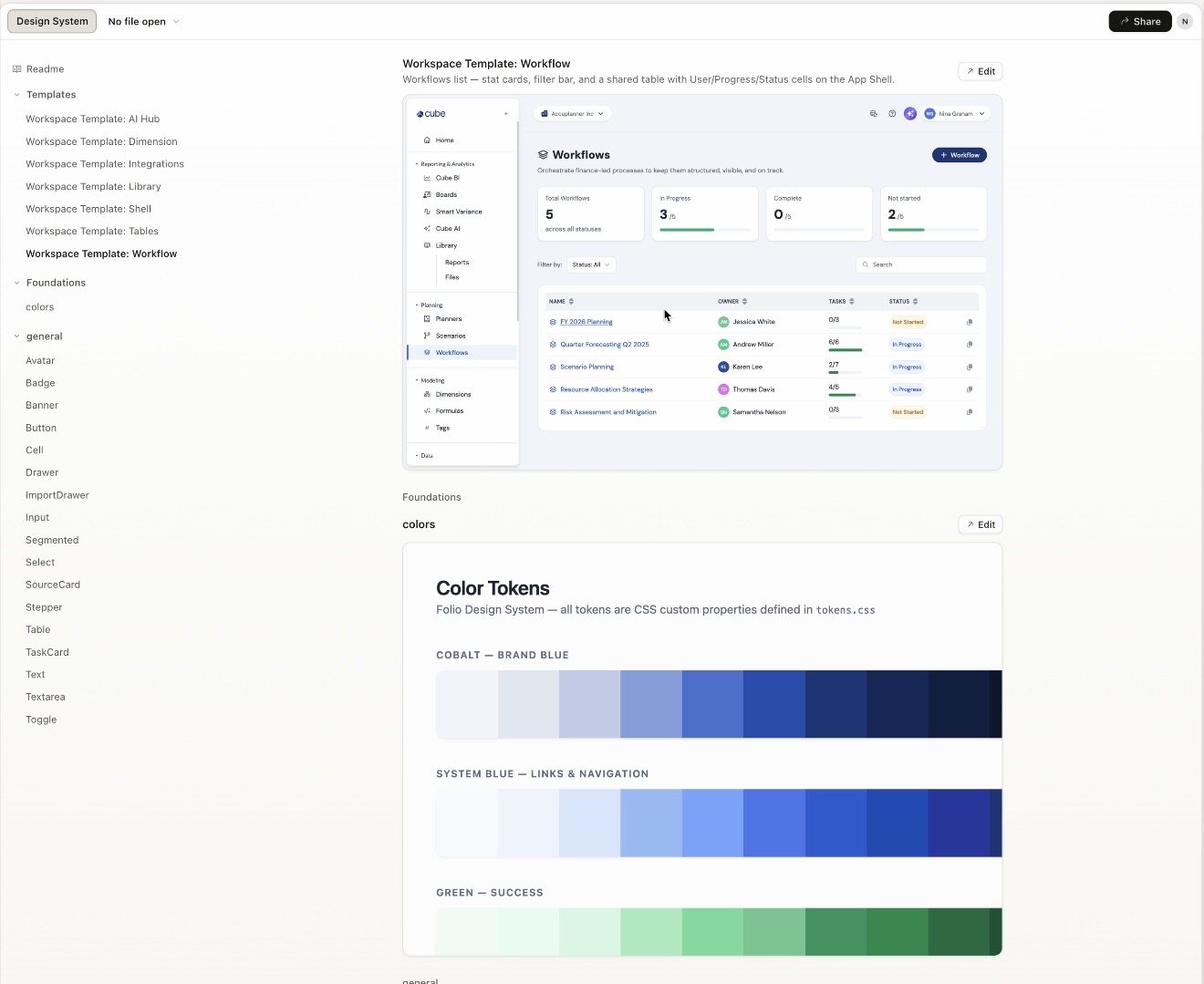
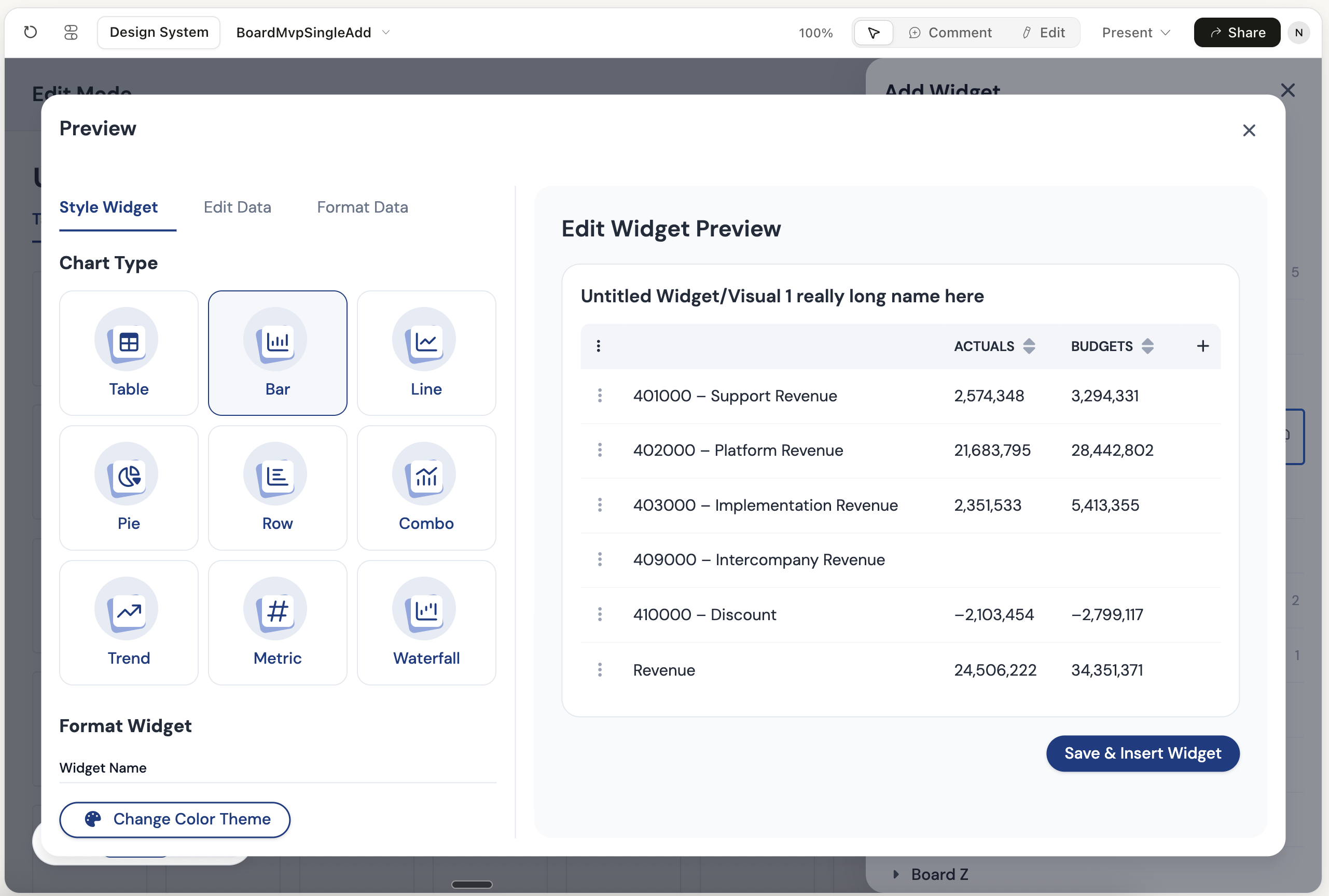
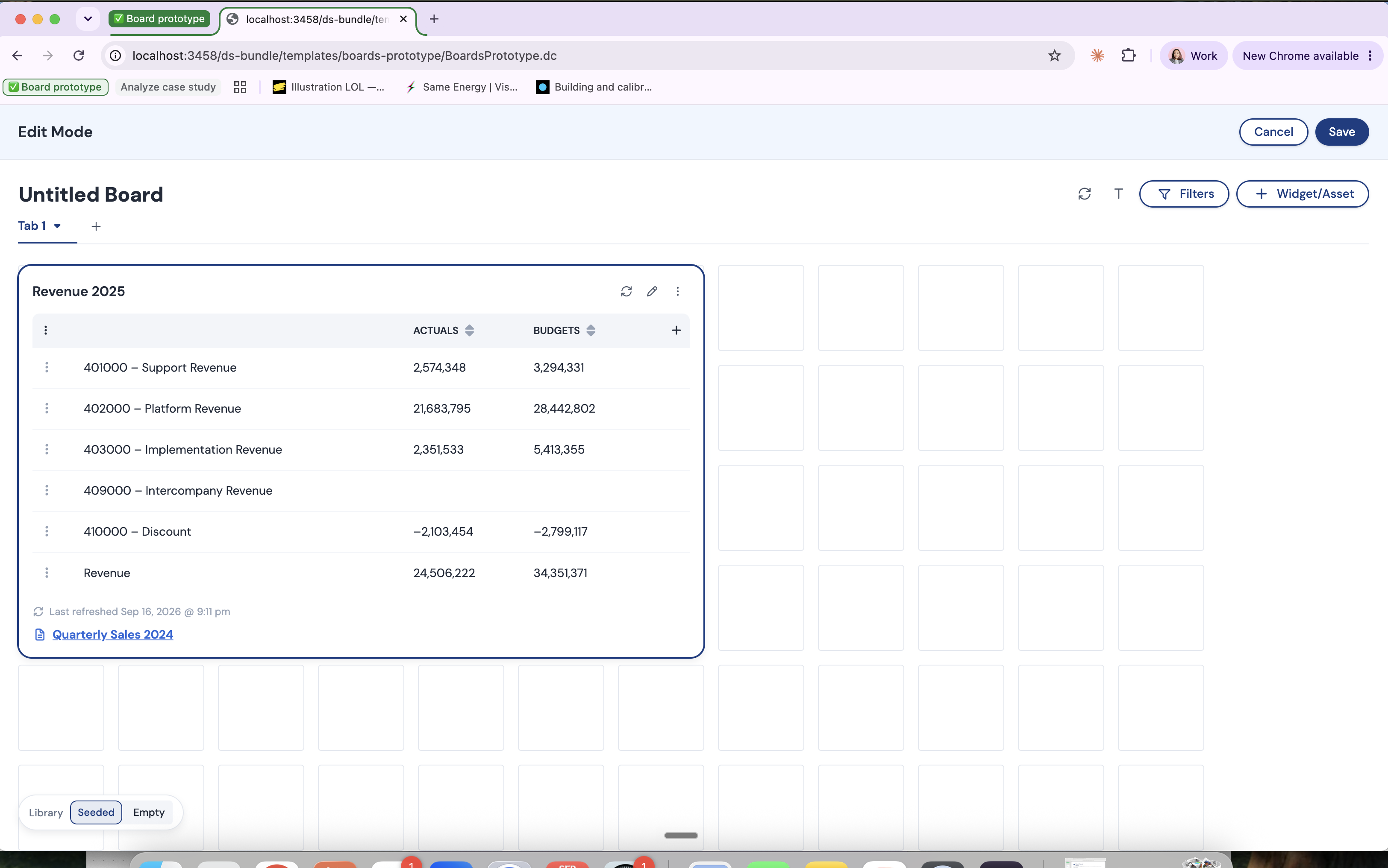
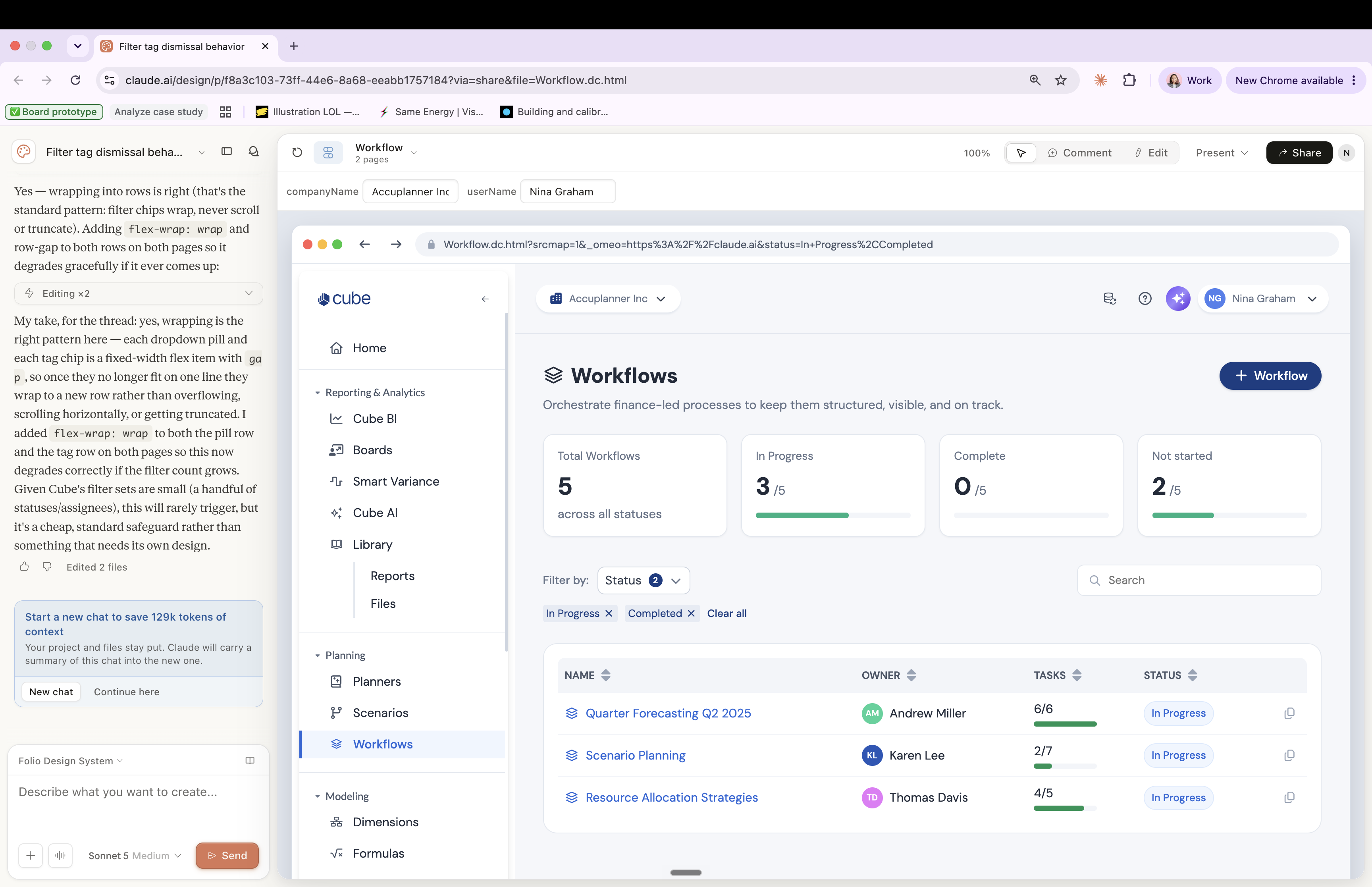
Folio, Cube's design system: documentation and boards
Below are examples of how I set up Folio, Cube’s design system, in Claude Design. Because I built the environment with our brand, components, and React patterns already in place, the team can explore ideas as complex as a widget preview and still stay on brand and on system. The prototypes are polished enough that engineers can build directly from them.